
Welcome to On Aging 2026!
On this page you’ll find information on how to download and use the conference app, as well as how to claim Continuing Education (CE) credits.
Wi-Fi Info
Join the onsite conference Wi-Fi network at the Hyatt Regency Atlanta to stay connected.
Network: OnAging2026
Password: Belonging
How to Download & Use the Conference App
Your personalized conference experience starts with the On Aging app. Easily browse sessions, build your schedule, connect with other attendees, and claim your CE credits – all in one place. The app is your go-to guide for everything happening at the conference, so we highly recommend downloading it before you arrive to hit the ground running!
Please note: You must log in and use the conference app to claim Continuing Education credits for qualifying conference sessions. CE instructions are provided on this page.
Here’s how to access the app:
- Download the free PheedLoop Go! app from the iOS App Store or Google Play Store. You can also click here if you are on a mobile device, select iOS or Android, and download the Pheedloop Go! app.
- Open the PheedLoop Go! app, then log in using the email address you used to register for the conference.
- Once logged in, click on the On Aging 2026 event—and voilà! You can now search the schedule, build your calendar, and connect with other attendees.
Watch the video below to learn how to use the app.
How to Claim Your FREE Continuing Education Credits
At On Aging 2026, we are offering attendees the opportunity to earn Continuing Education credits (CEs), ensuring professional development and growth. Select conference sessions are accredited, and you can find more information on this page on how to claim CEs at the conference using our conference app. We have provided an instructional video and PDF with this information.
You must use the conference app to claim CEs. To ensure you receive your CEs, please follow these steps:
- Download the conference event app (Pheedloop Go!). Make sure you have an Android or iOS device with the app installed at the conference. Detailed instructions on how to do so, including a video, can be found on this webpage.
- Log in and access the On Aging 2026 event using the email address you used to register for the conference.
- Check-in and complete the CE application survey for each eligible session you attend. Use the code: CE.OA.26 (Note: This must be completed during the conference.)
A video with instructions on how to download the app and claim CE credits is included below.
Licensure Board Info
State licensure boards have ultimate authority to approve individual courses for CEs. If you have any questions about the acceptance of CE credits from the providers listed below, we strongly recommend consulting your state licensure board before completing a CE application. CEs have been approved or are pending approval from the following accreditation providers:
-
- California Board of Registered Nursing (CA-BRN)
- California Department of Consumer Affairs Professional Fiduciaries Bureau (CAPFB)\\
- Accepts certificate of attendance (COA) for the following topics areas – conservatorship, guardianship, trusts, DPOA, CA Court Systems, and ethics.
- National Academy of Certified Care Managers (NACCM)
- National Association of Social Workers (NASW)
- Boards that do not recognize the NASW CE Approval Program: New Jersey, New York, West Virginia
- National Council of Certified Dementia Practitioners/International Council of Certified Dementia Practitioners (NCCDP/ICCDP)
- Society of Certified Senior Advisors (SCSA)
Please allow up to 30 days after the conference to receive your On Aging 2026 CE certificate by email. Certificates will be sent to the email linked to your PheedLoop account. To ensure delivery, add institute@asaging.org to your trusted sender list. Thank you for your patience.
How to Download the Conference App and Navigate the CE Application Process
- Go to https://pheedloop.com/OnAging2026/, select iOS or Android, and download the PheedLoop, Go! App.
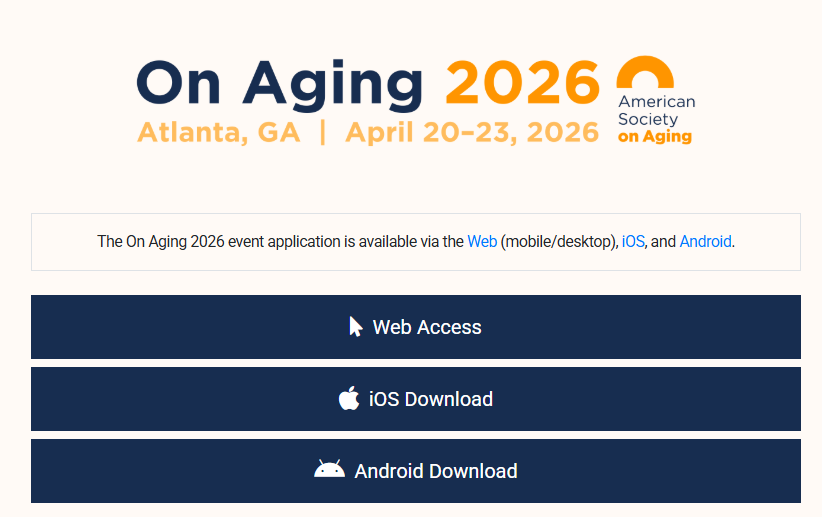
- Open the PheedLoop Go! App.
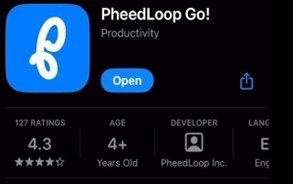
- If you get a message to allow PheedLoop Go! to send you notifications, we recommend turning this on by tapping on Allow to be notified about important announcements and schedule changes.
- If you get a message to allow PheedLoop Go! to use your location, you may tap on Don’t Allow, it is not required to use the app.
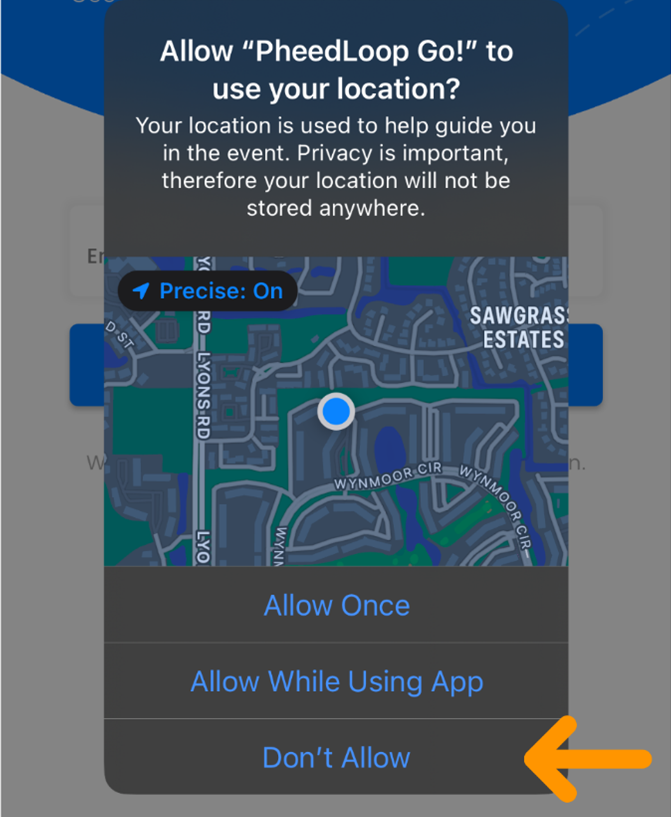
- Signing In—You must log in to claim CE credits for conference sessions.
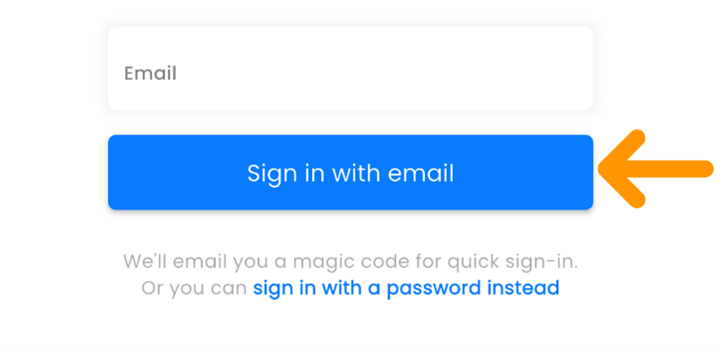
Option 1: - Enter the email address you used for registration and tap on Sign in with email. A magic code will be sent to your inbox.
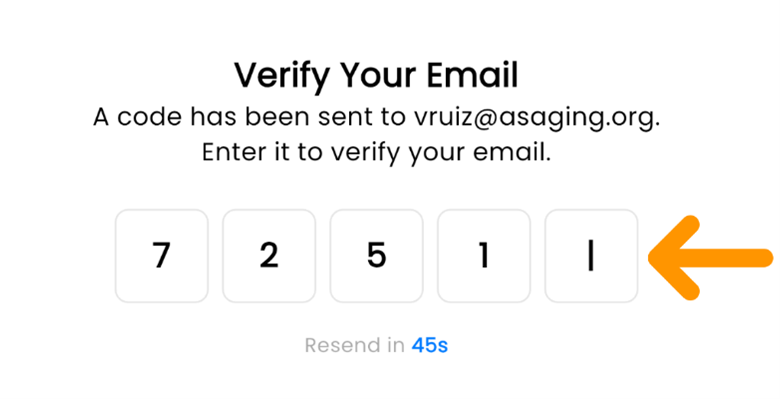
- Enter the magic code you received.
Option 2: - Tap on Sign in with a password instead
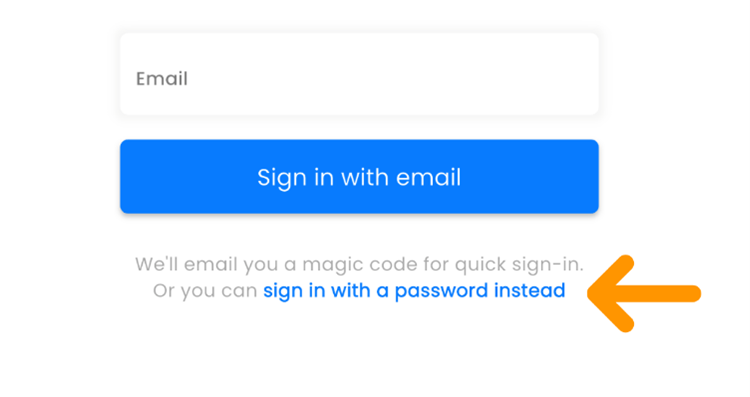
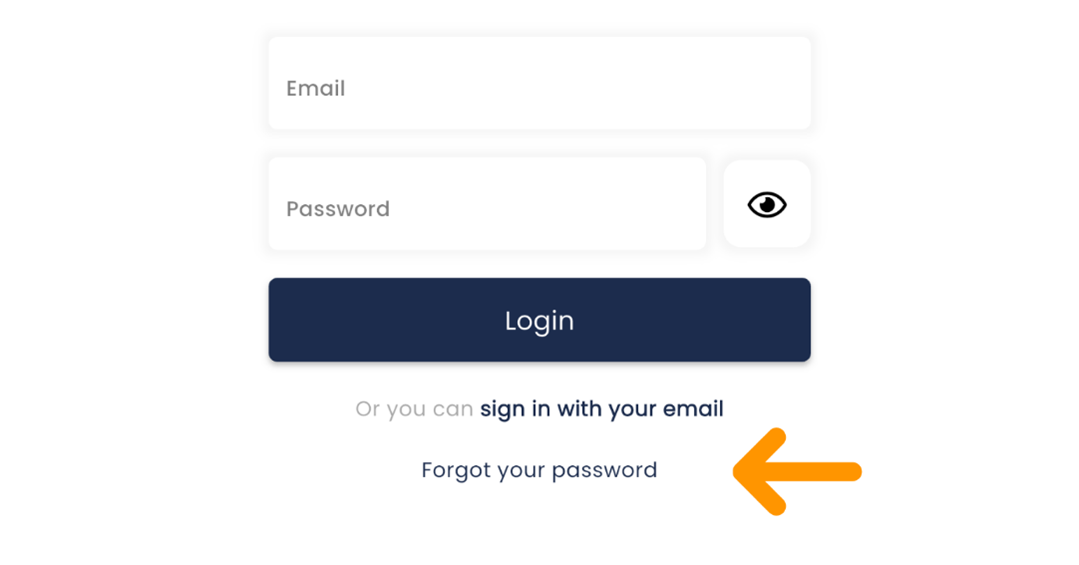
- Enter the email and password that you set up during your registration.If you do not recall your password, you may tap on the Forgot your password link and follow the instructions.
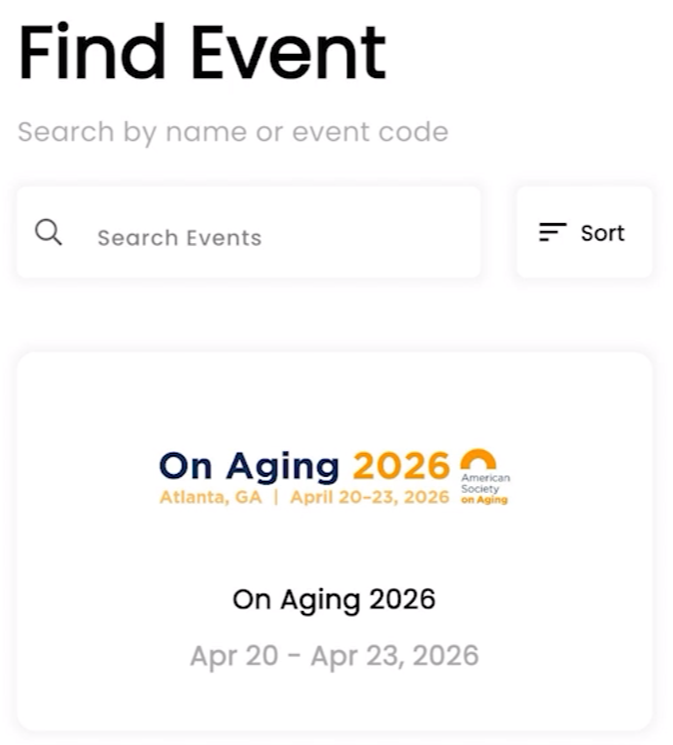
- Tap on the On Aging 2026 event.
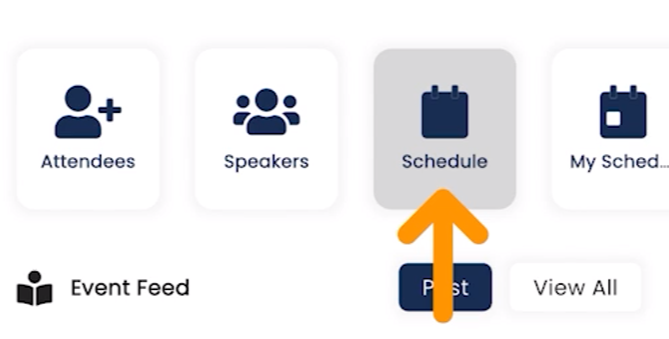
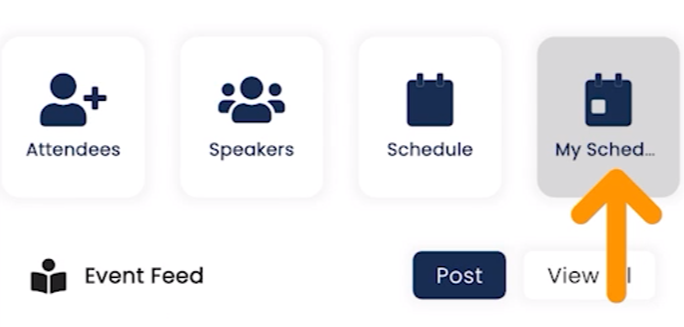
- To view sessions, tap on the Schedule icon or My Schedule icon for saved sessions.
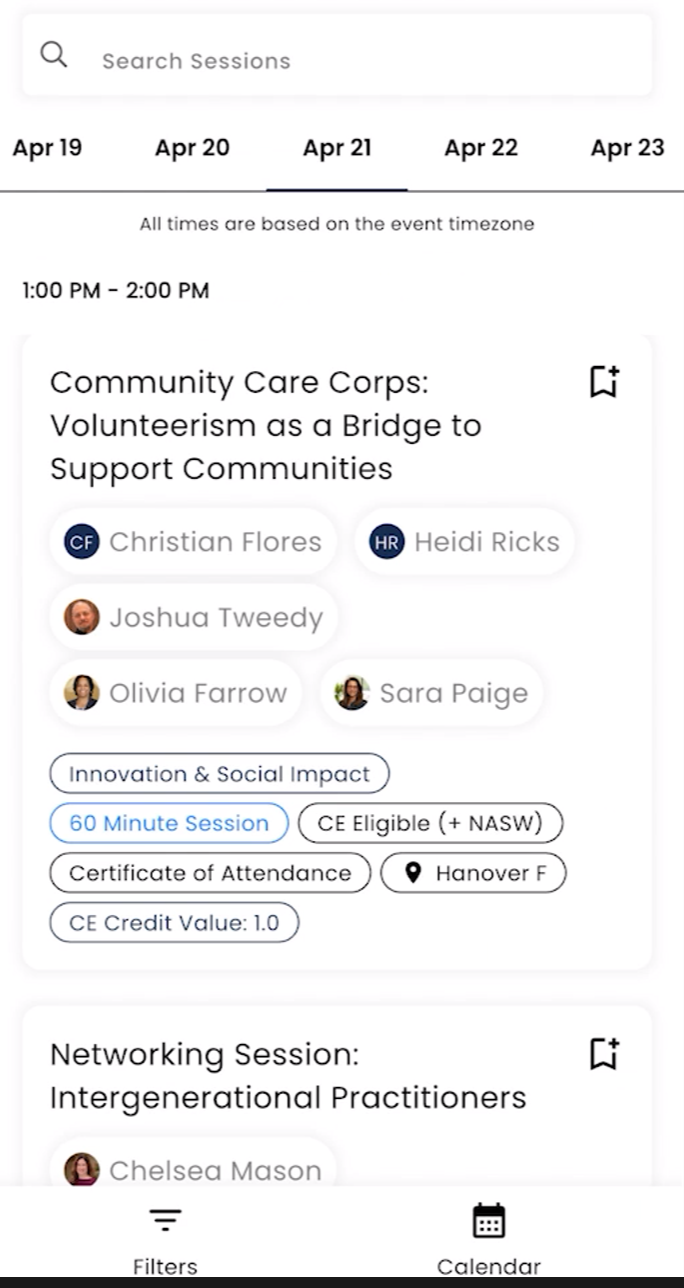
- You may search for sessions by name or by tapping on the date of the session and scrolling to find the session.You may also save sessions by tapping on the Add to Schedule icon
 and tapping on the Add to Schedule button
  .
.
- Tap on the session to view description, learning objectives, and for check-in. Sessions that offer CEs or a certificate of attendance will be clearly labeled and indicate the credit value.
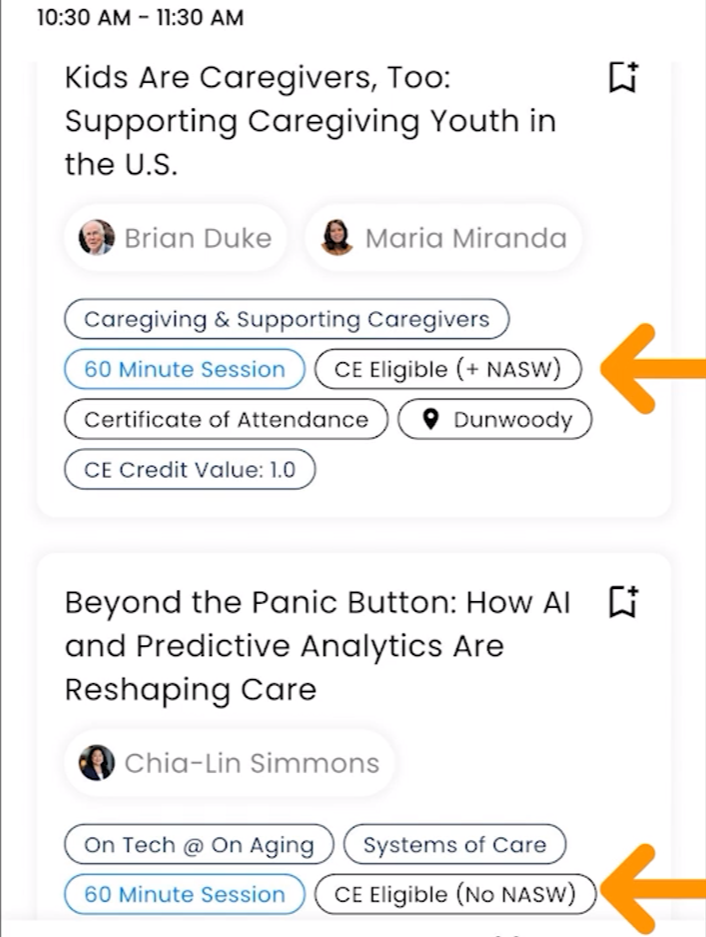
- Tap on the Check-In button
 . You may get a message to allow access to your camera, you may skip this and tap on Don’t Allow. We are not using QR codes for check-ins.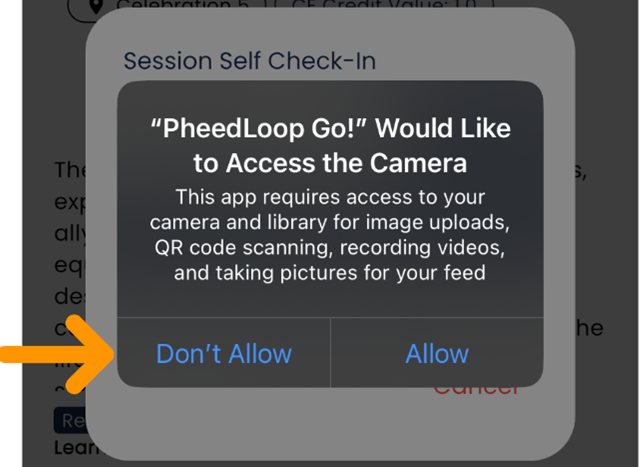
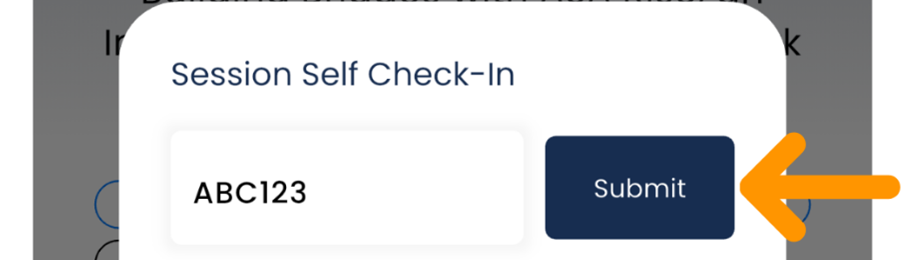
- Enter the Session Self Check-In code provided at the conference and tap submit.
- The session evaluation will open, double check that you have selected the correct and the same Board/Association on all sessions for which you are claiming CE credits. Your CE certificate will reflect your selection.
- California Board of Registered Nursing
- California Department of Consumer Affairs Professional Fiduciaries Bureau
- Certificate of Attendance—NOT a CE
- National Academy of Certified Care Managers
- National Association of Social Workers
- National Commission for Health Education
- National Council of Certified Dementia Practitioners
- Society of Certified Senior Advisors
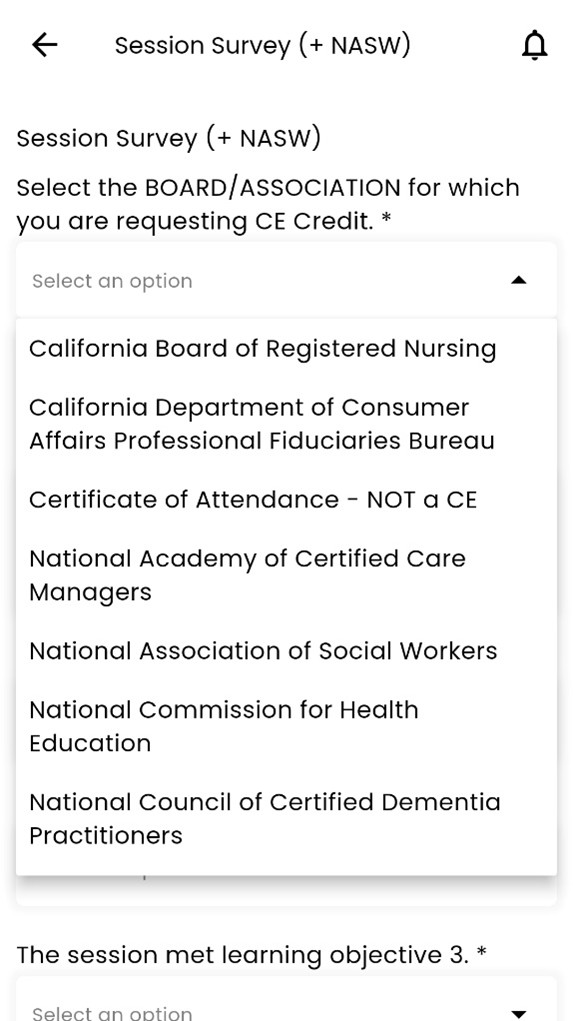
- Fill out the session evaluation and tap on the Submit button.
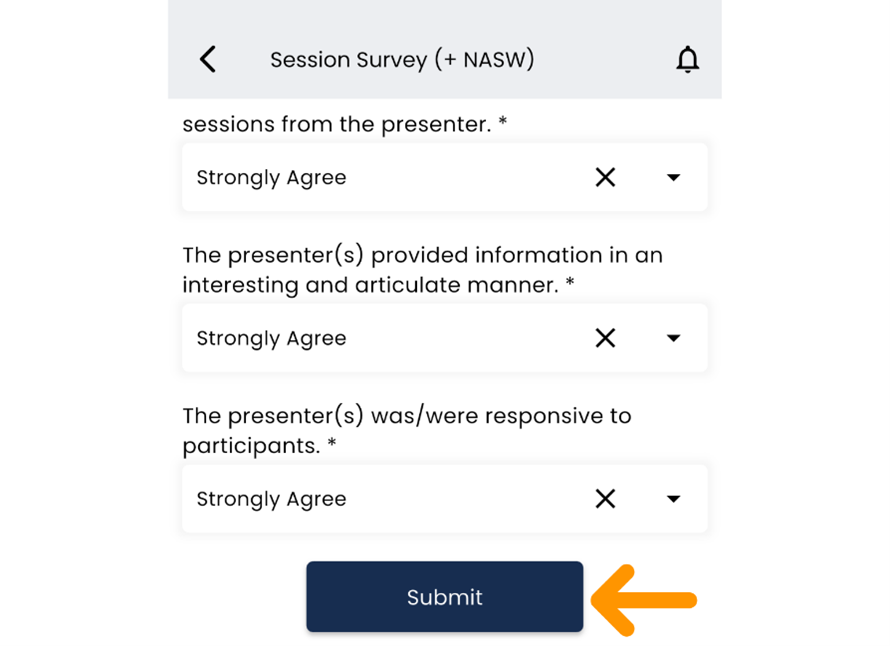
- Congratulations, you have successfully checked in for your session! Repeat this process for each session for which you would like to claim CE credits. For CE-specific certificates, please allow up to 30 days after the conference to receive your On Aging 2026 CE certificate by email. To ensure you receive it, add institute@asaging.org to your trusted sender list. We will send your certificate to the email address associated with your PheedLoop account. Thank you for your patience.
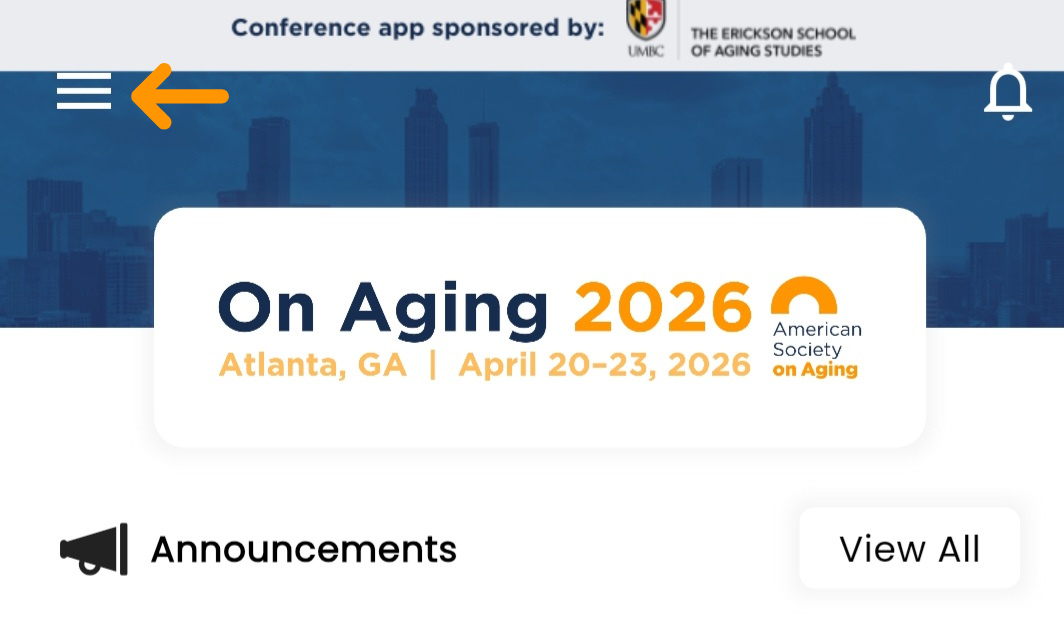
- To download a Certificate of Attendance on the PheedLoop Go! App go to the left side menu by tapping on the hamburger menu icon
 .
.
- Scroll down to and tap on Certificate of Attendance
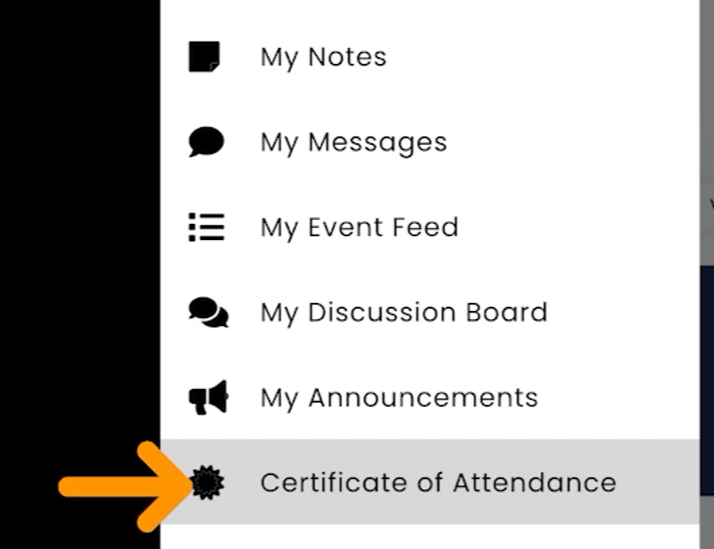
- Tap on the Download Certificates button
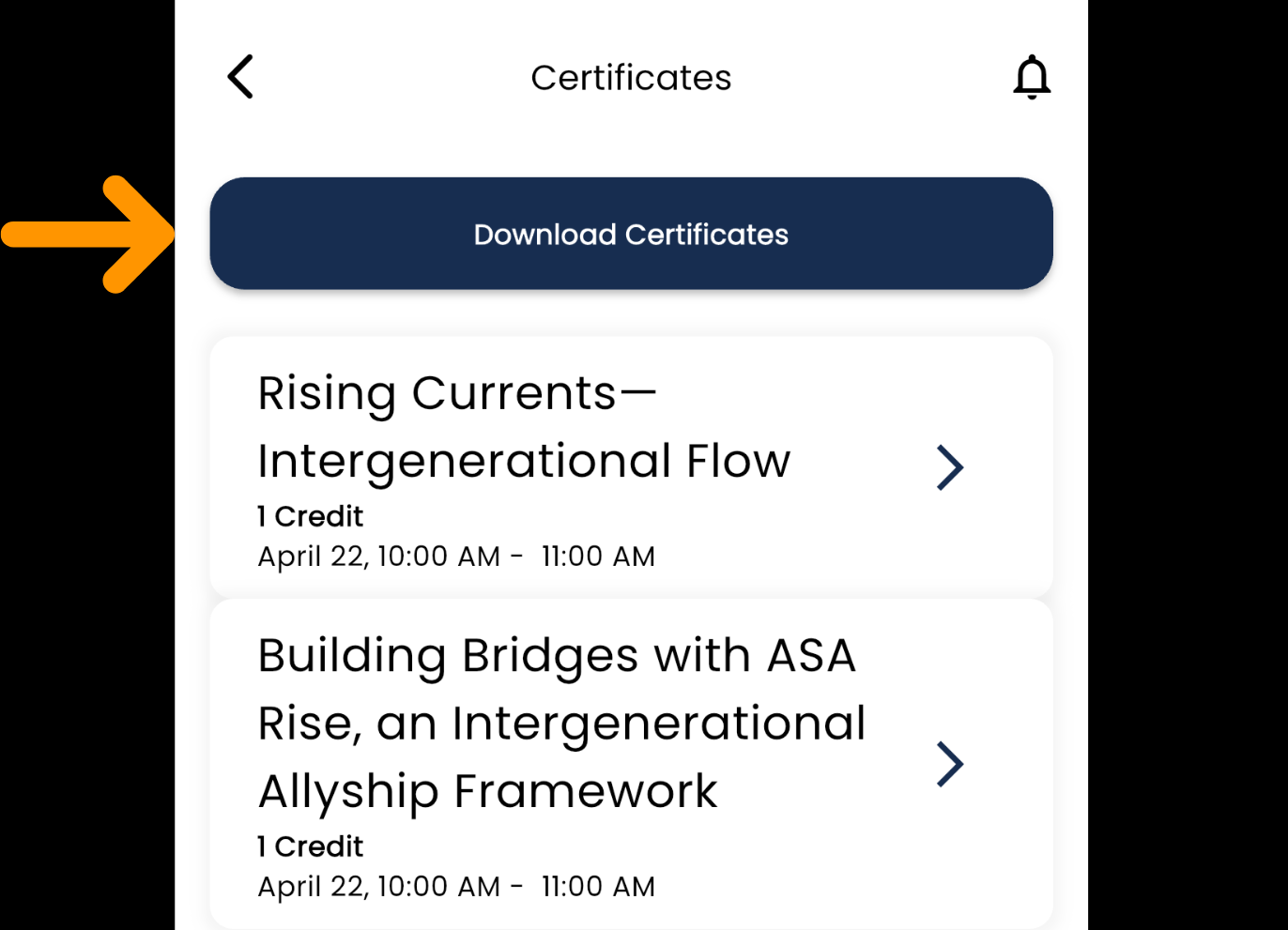
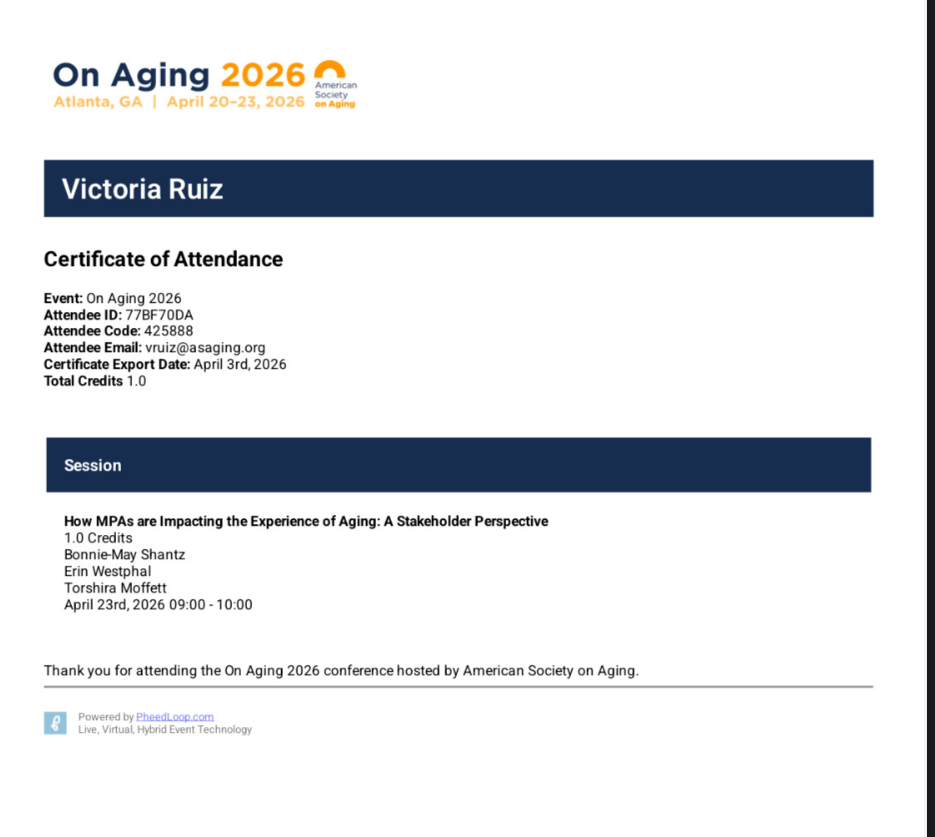
- Your Certificate of Attendance will automatically download on your device as a PDF.
Connect With Us
Contact Info
548 Market Street, PMB 85589
San Francisco, CA 94104
Send payments (only) to:
PO Box 103088
Pasadena, CA 91189-3088
About Us
Our Mission
Our Stategic Plan
Diversity, Equity & Inclusion
Board & Staff
Partners
Membership
Join ASA
Member Benefits
Volunteer Leadership
Organizational Membership
Member Communities
Membership Directory
Job Board
Conference & Events
Events Calendar
On Aging 2026
On Aging 2025 Rewind
Recorded Events (Members Only)
On Aging Institute
About the Institute
Courses
Webinars
Online Certificate Programs
Podcasts & Webcasts
ASA RISE
Advocacy
DEI Resources Library
Toolkits & Resources
My Classroom
Publications
All Generations Publications
Generations Journal
Generations Today
Generations Now
Beyond Generations
Copyright © 2026 American Society on Aging. All rights reserved.